📨 Connect Your Mailgun Provider With WhautoMail
This guide will help you connect your Mailgun account with WhautoMail so you can start sending emails right away.
Step 1: Go to the WhautoMail App
You can access Mailgun setup in two ways:
Option 1:
- Open the WhautoMail app
- Go to the Get Started section and choose Step 1 (Connect SMTP)

Option 2:
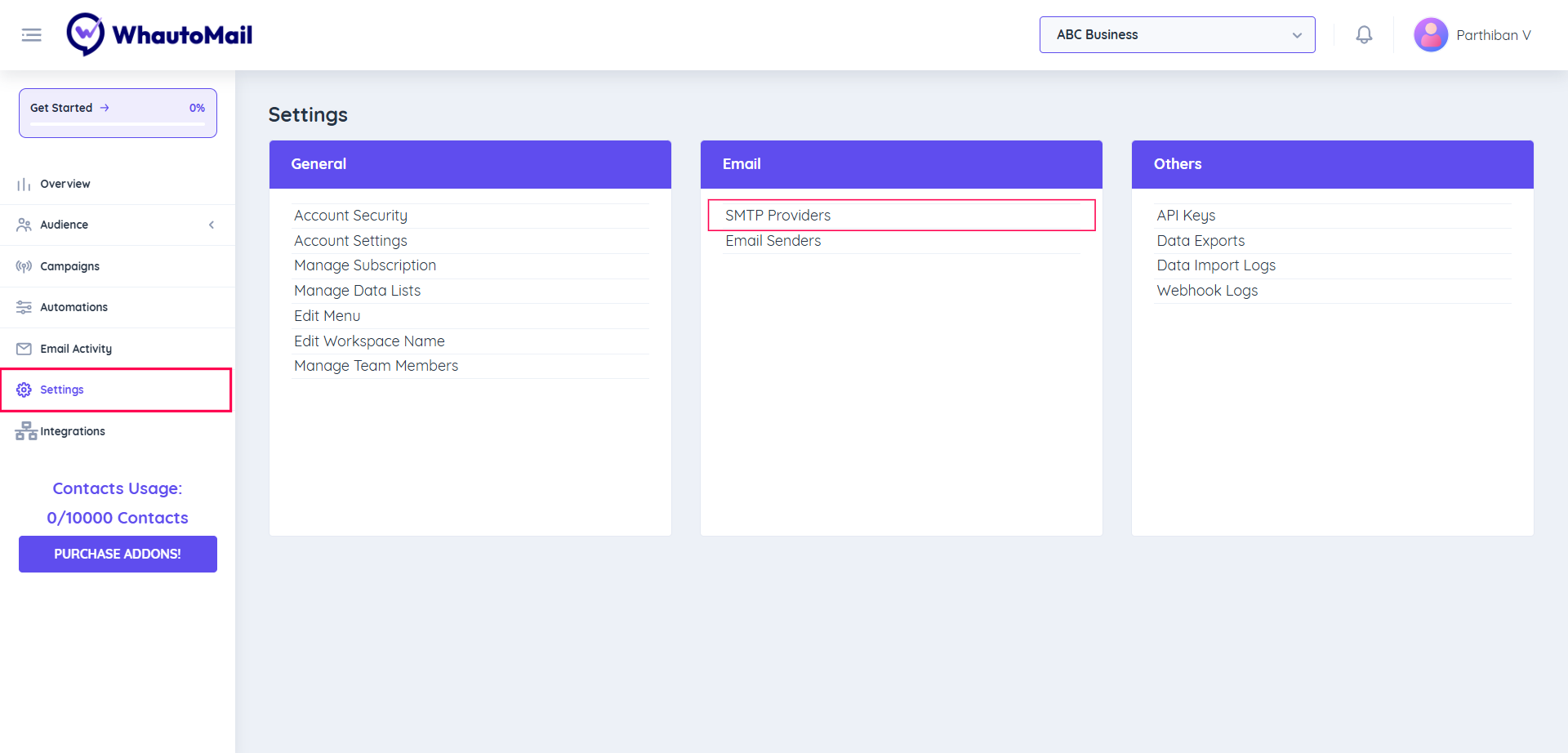
- Go to the Settings menu
- Under the Email section, select SMTP Providers
Step 2: Choose Your SMTP Provider
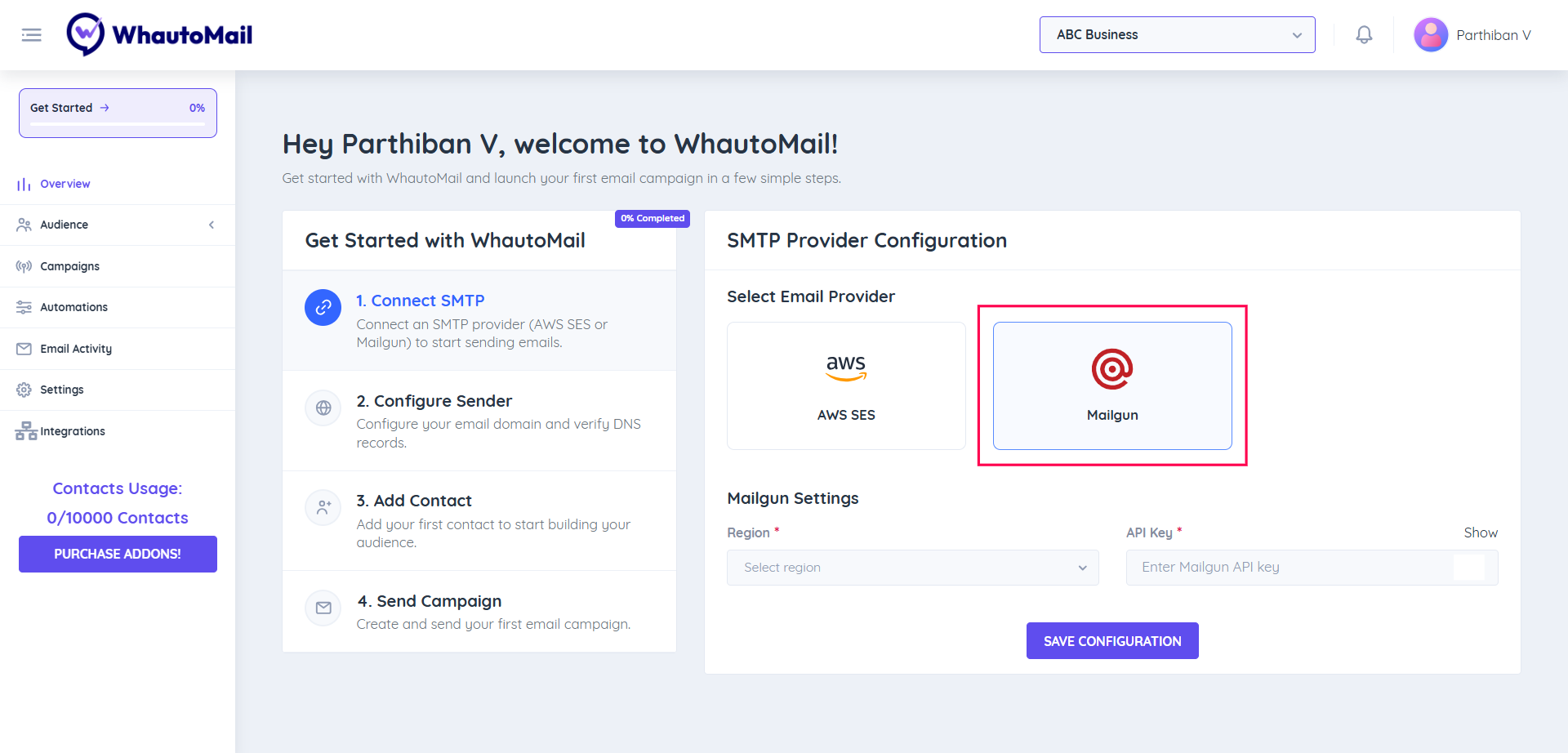
Select Mailgun as your SMTP provider from the available options.
Step 3: Configure Mailgun Settings
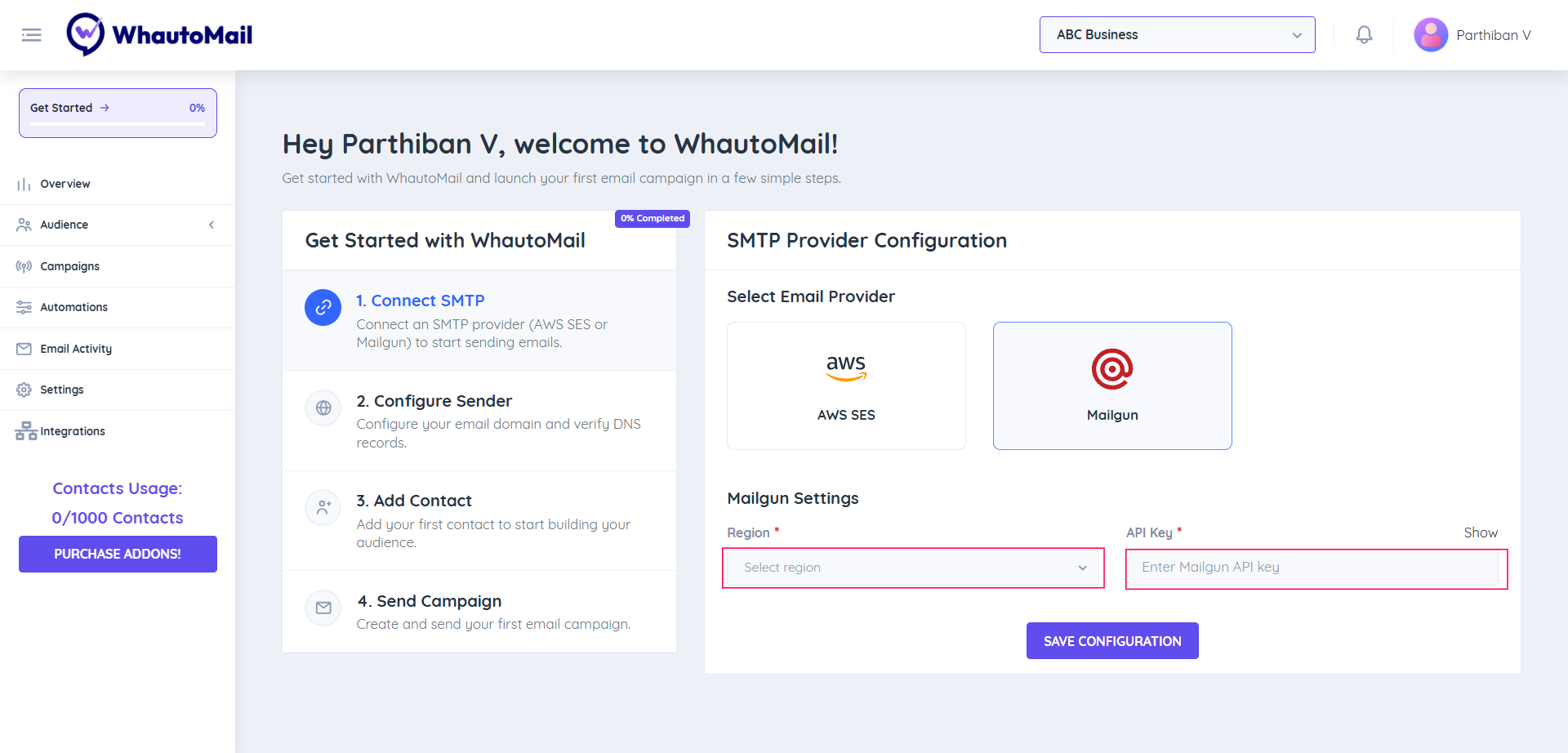
You'll need to enter a few details from your Mailgun account to connect it properly.
Required Information:
- Region: Select your Mailgun region (US or EU)
- Mailgun API Key: Your Mailgun API key
Follow the steps below to create and copy your Mailgun API key.
🔑 Create Your Mailgun API Key
1. Sign in to Mailgun
- Go to mailgun.com and log in to your account
- If you don't have an account, sign up here
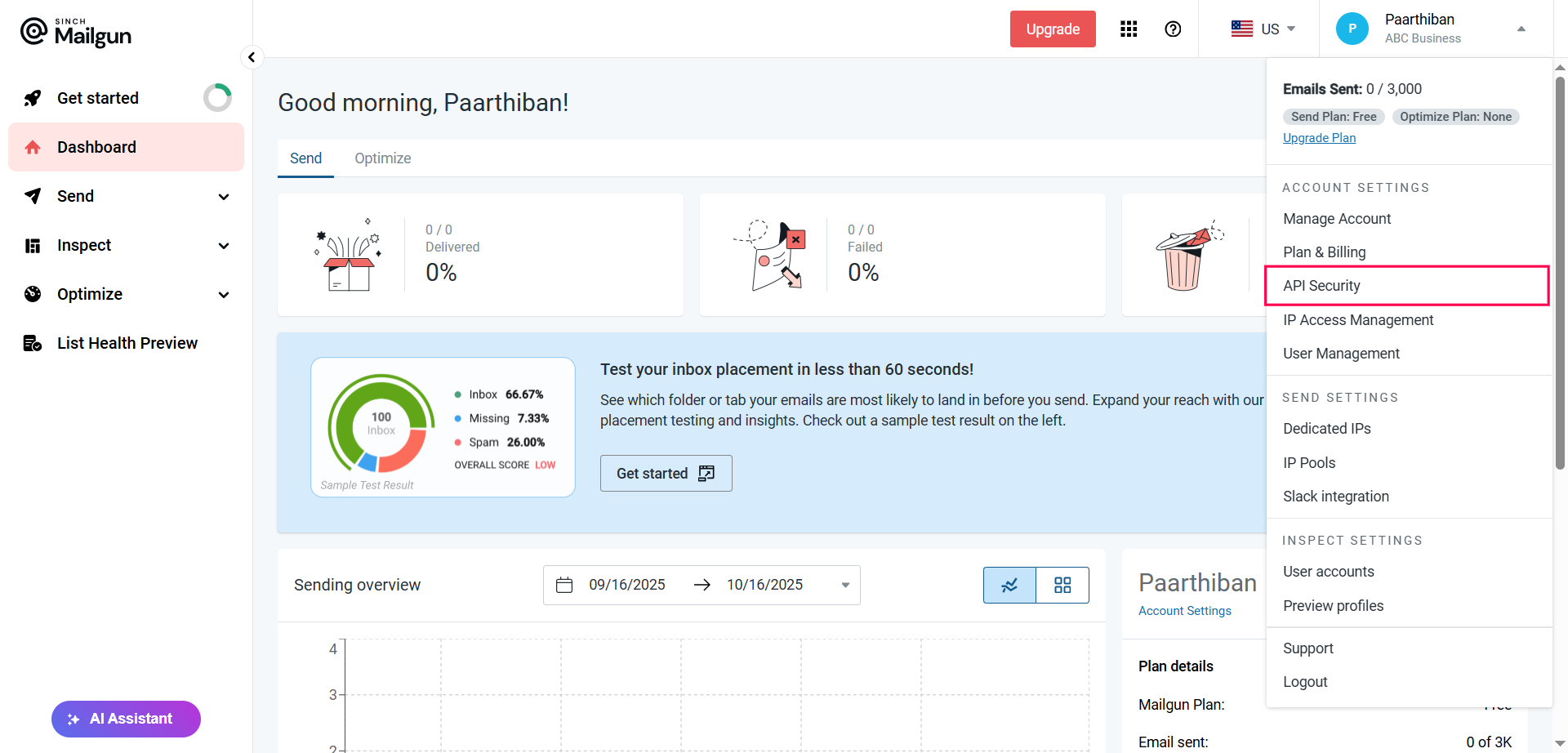
2. Access API Security Settings
- Click on your profile icon (top-right corner)
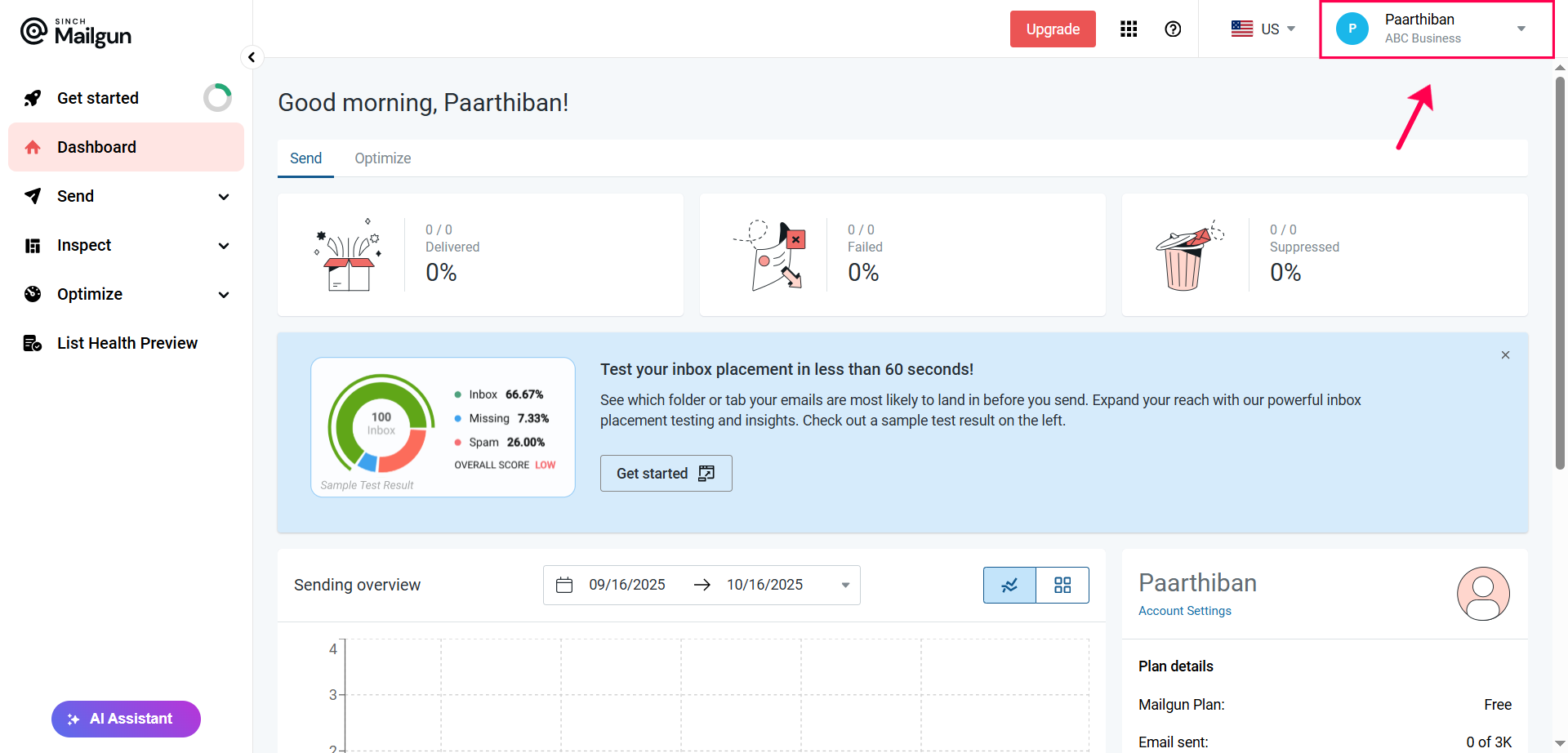
- Select API Security from the dropdown menu
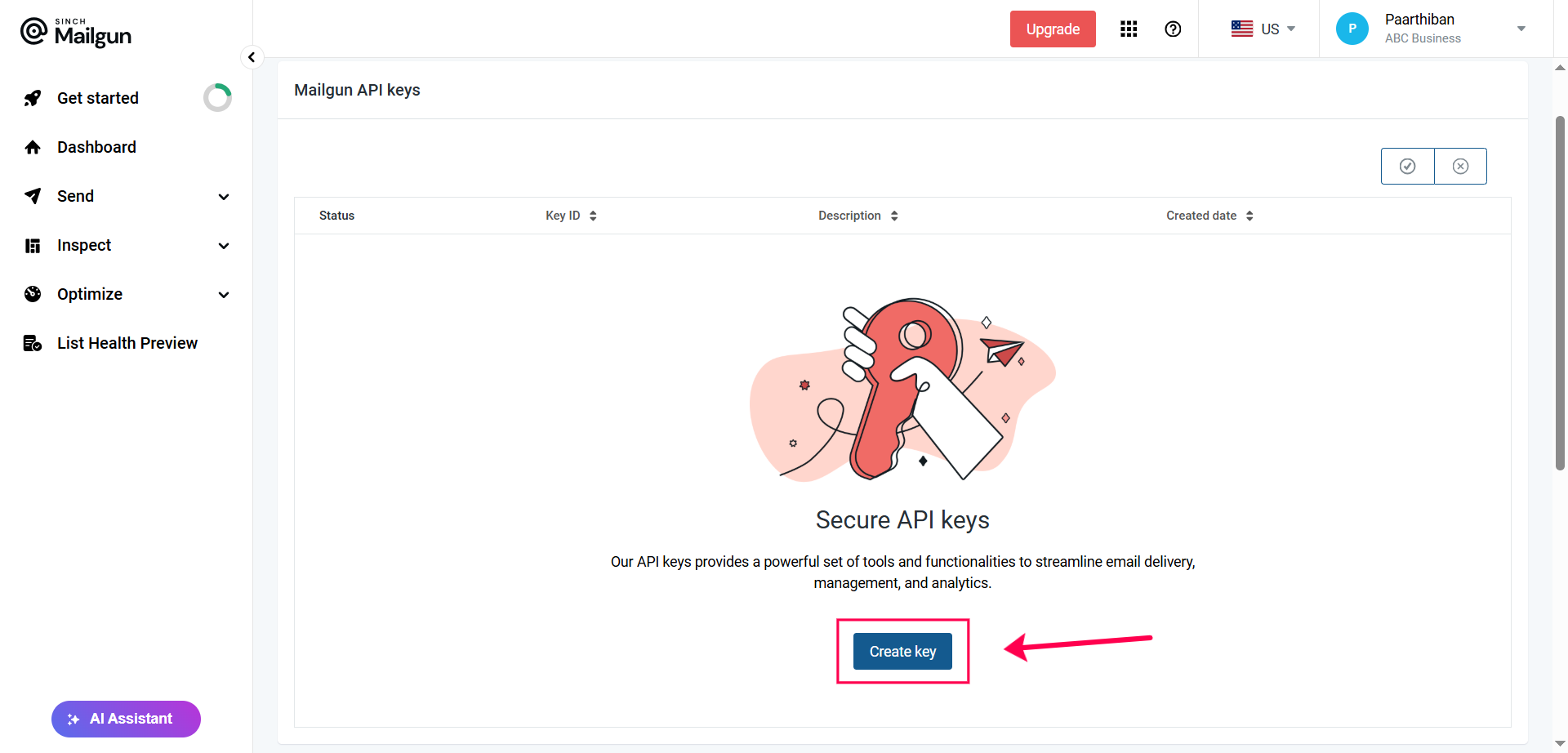
3. Create a New API Key
- Click the Create Key button
- Enter a description for your key (e.g., "WhautoMail Integration")
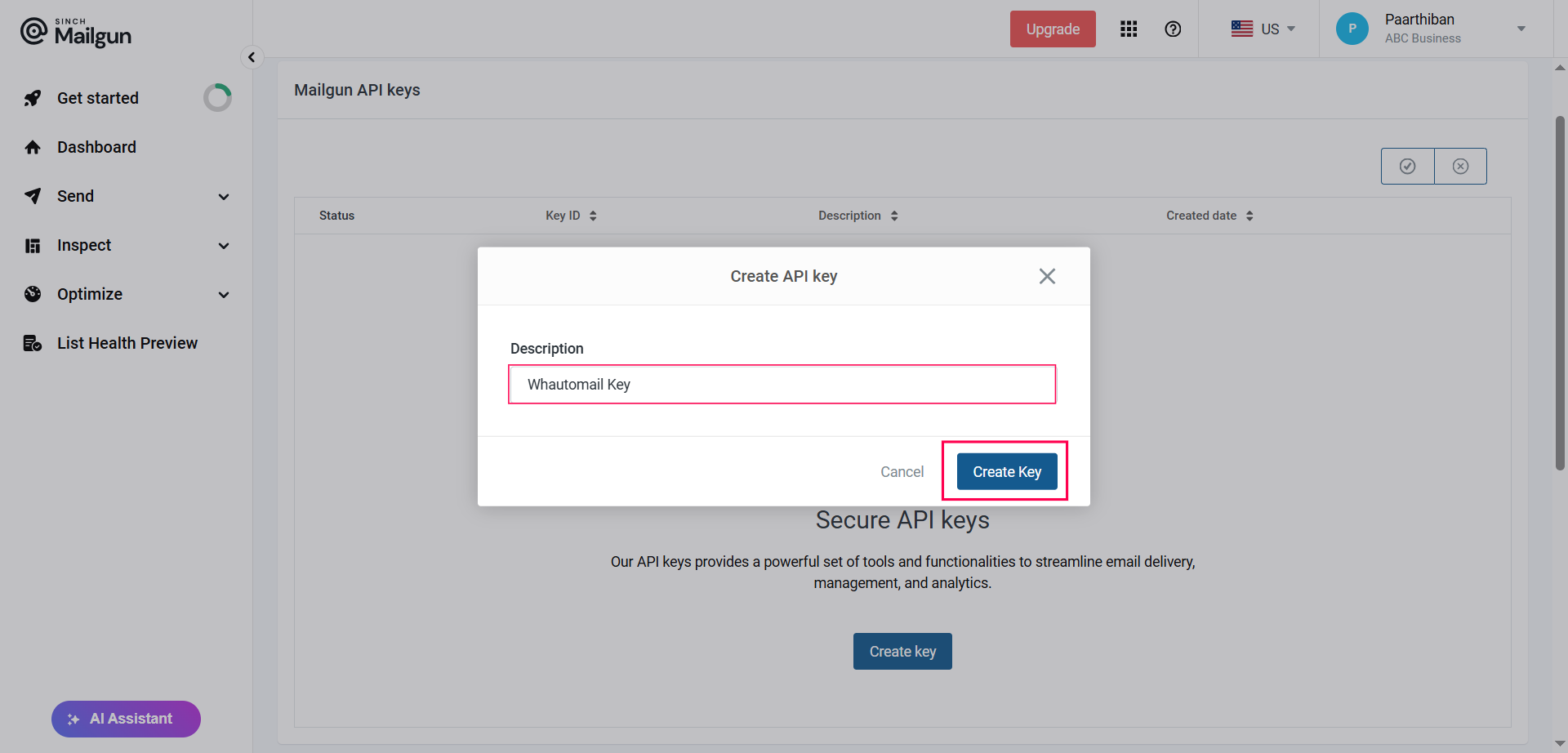
- Click Create Key again to confirm
4. Copy Your API Key
- Your new API key will be displayed
- Copy the generated API key
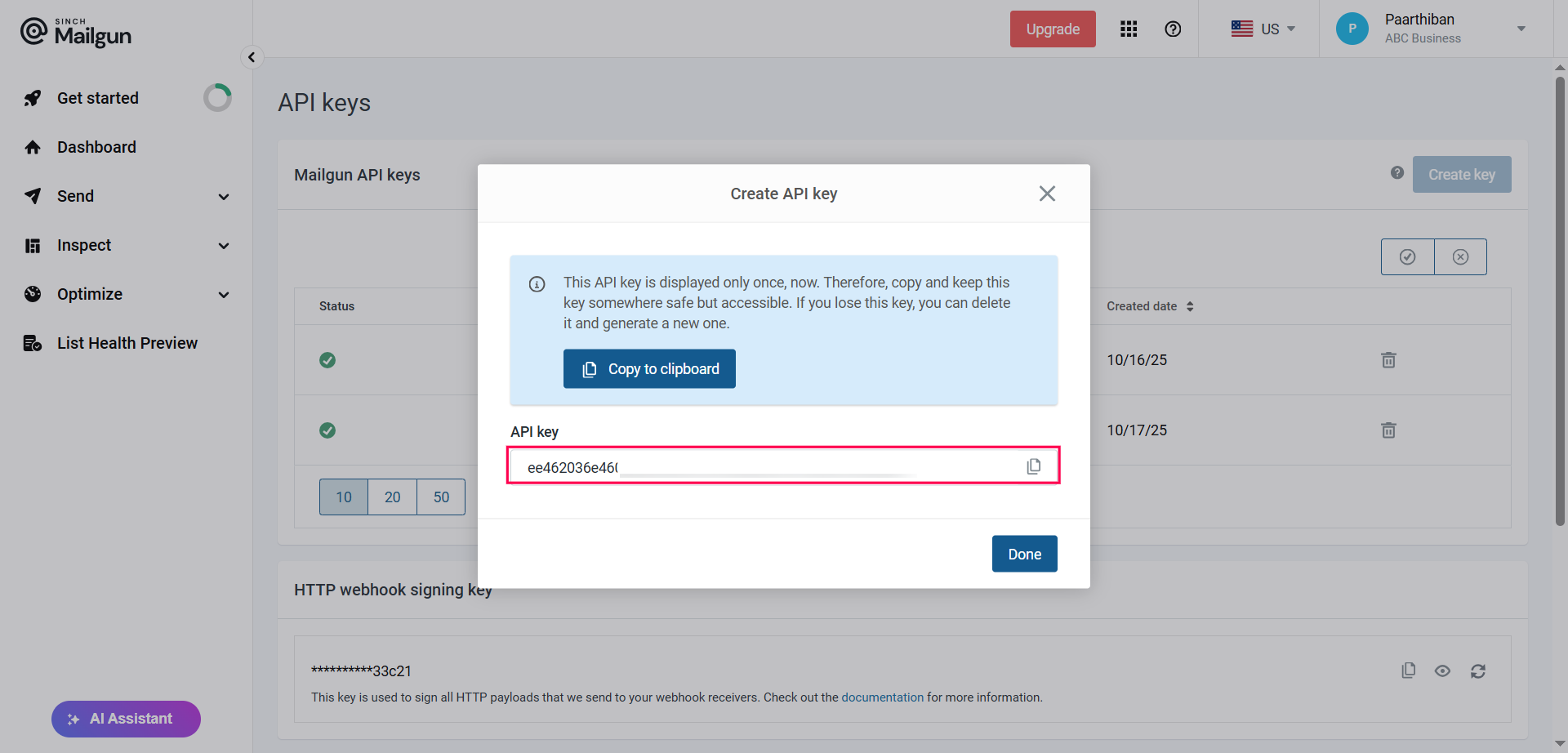
Important
Save your API key securely! You won't be able to view it again after leaving this page.
🔗 Connect to WhautoMail
1. Configure in WhautoMail
- Go back to the WhautoMail app
- Select your Region (US or EU)
- Paste your Mailgun API Key into the field provided
- Click Save Configuration
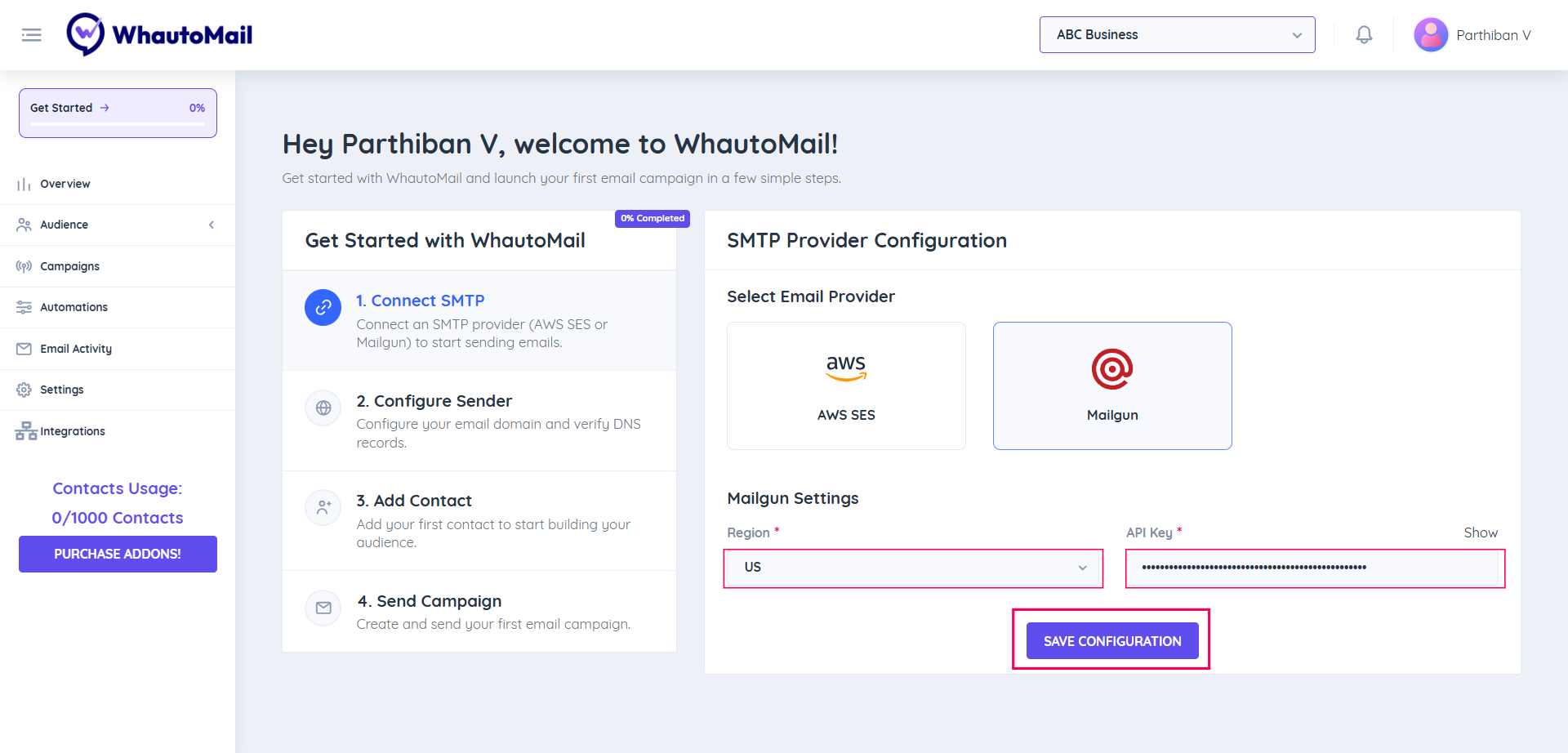
✅ Success! You've now connected your Mailgun provider successfully!
See Adding & Verifying Domains for more details on domain verification.
Understanding Mailgun Limits
Trial (Free)
- 100 emails/day (3,000/month)
- Ticket support
- 1 custom sending domain
- 1 day log retention
- Basic features
Basic Plan (Starting at $15/month)
- 10,000 emails/month included
- No daily email limit
- Monthly overage options
- 1 custom sending domain
- 1 day log retention
- Ticket support
Foundation Plan (Starting at $35/month)
- 50,000 emails/month included
- 1,000 custom sending domains
- Email template builder
- 5 days log retention
- 1 day message retention
- Standard support
Scale Plan (Starting at $90/month)
- 100,000 emails/month included
- SAML SSO
- Dedicated IP pools
- Send time optimization
- Live phone & chat support
- 30 days log retention
- Up to 7 days message retention
Best Practices
Domain Reputation
- Start with low volume and gradually increase
- Monitor bounce and complaint rates
- Maintain clean email lists
- Use double opt-in for subscribers
Email Authentication
- Set up SPF, DKIM, and DMARC records
- These records are automatically provided when you configure your domain in WhautoMail
Monitoring
- Check delivery rates regularly
- Review bounce and complaint reports
- Monitor domain reputation scores
- Set up alerts for issues
Compliance
- Include unsubscribe links in all emails
- Honor unsubscribe requests immediately
- Follow CAN-SPAM and GDPR guidelines
- Keep suppression lists updated
Cost Estimation
Example monthly costs:
| Volume | Plan | Cost |
|---|---|---|
| 3,000 emails | Trial | $0 |
| 10,000 emails | Basic | $15 |
| 50,000 emails | Foundation | $35 |
| 100,000 emails | Scale | $90 |
| 200,000 emails | Scale + overage | ~$180 |
| 500,000 emails | Scale + overage | ~$450 |
Additional Resources
Need Help?
Contact our support team at support@whautomail.com for assistance with Mailgun configuration.